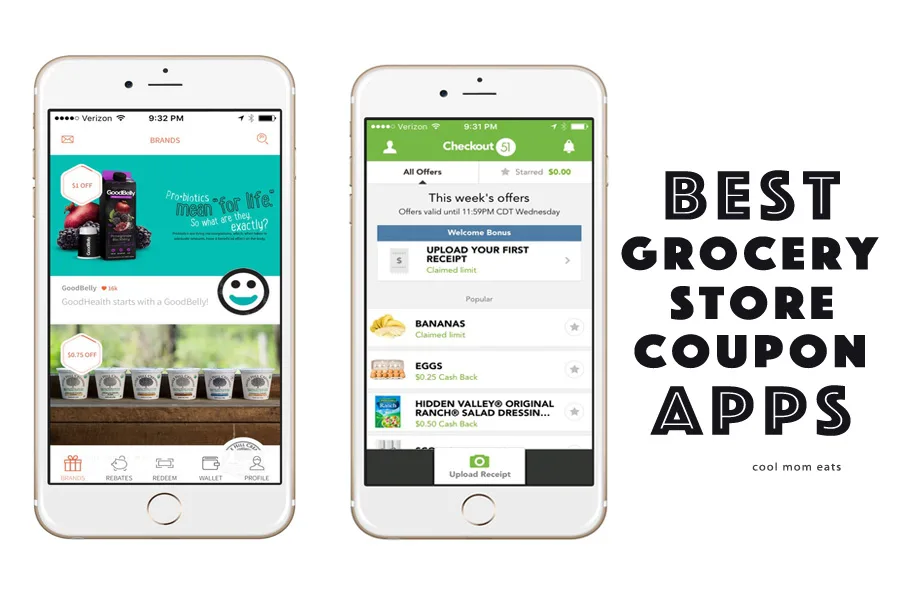
Drop the scissors (or, uh, gently set them down) and trash those circulars. It turns out that your phone has everything you need to save a bundle on your regular groceries. That said, some grocery store coupon apps far outperform their competitors, so I’ve given them a test run to make sure that you’re getting the best deal and the easiest user experience.
Whether you plan and bargain hunt before you hit the grocery store, or just follow your heart and grab some rebates later, we’ve got the apps you need.
Related: Save money at the grocery store by avoiding these 8 sneaky supermarket tricks.
Coupons.com
The Coupons.com app won me over with its abundance of coupons and super easy user interface. Not to mention that it links with your loyalty cards from each store so that you can upload coupons directly. Then just scan at check out as usual and the coupons are automatically applied. For those of us used to clipping, organizing, and then painstakingly redeeming each coupon at checkout, this radically changes the game.
Checkout51
Instead of asking you to choose your coupons before you shop, Checkout51 lets you upload your receipts and then matches the items you purchased to any coupons on their list. I find it especially handy given that I’m a free spirited shopper and don’t always know what’s going to end up in my shopping bag. Checkout51 is similar to Ibotta, another app that I tried, but ultimately won out because it didn’t require me to scan the individual bar codes for items on which I wanted rebates. But if that doesn’t bother you, use both for the most cash back.
Related: The 4 best meal-planning apps to use on the go. Lifesavers!
Shrink
Shrink focuses on organic and natural products that aren’t usually found on the other apps, which I appreciate since these items also usually cost more. Like Checkout51, Shrink allows you to earn rebates using your receipt rather than scanning coupons at the checkout. Warning: Shrink boasts a super sleek interface and beautiful food advertisements; if you’re not a health food nut now, you may be sipping kombucha and nibbling quinoa pasta by the time you’re done with this cool app.
Saving Star
While it doesn’t have the sheer quantity of coupons that the Coupon.com app offers, Saving Star has a great selection of kid-friendly items and snack foods. Plus, it lets you earn rewards for some items that you buy regularly like chips or cereal. It’s super easy to use and accepted at discount stores like Costco and Dollar General in addition to traditional groceries, which should make you serious bargain hunters even happier.


One response to “The best grocery store coupon apps to save time and money. No clipping required.”
I have tried to download Shrink in the App Store… it consistently says that it is not available in the US store?